
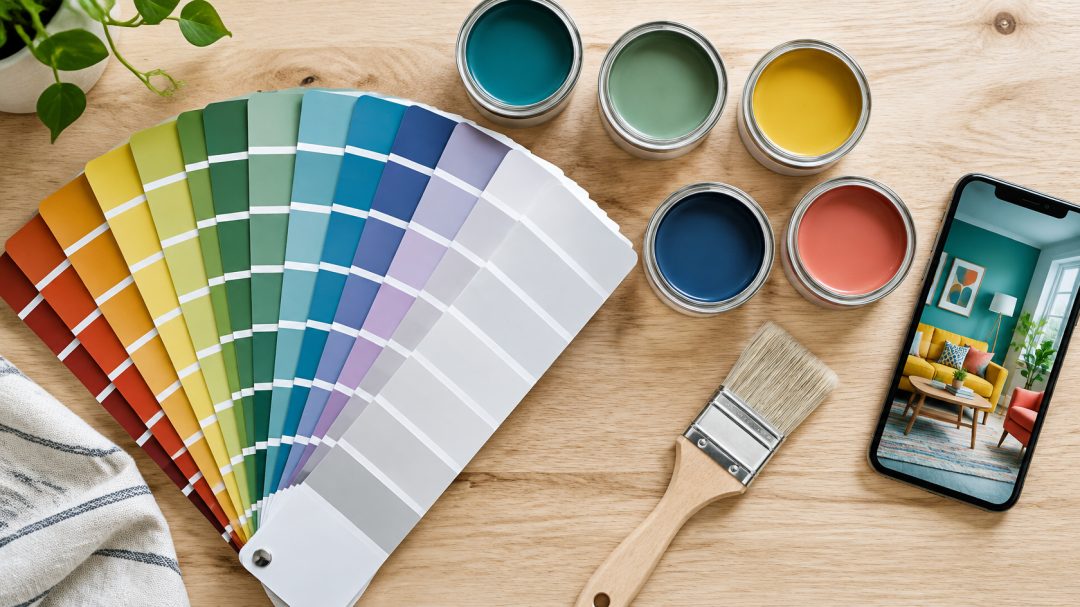
You snapped a photo of that perfect wall color, and now you’re not sure what to do with it. Using photos to match paint colors is easier than ever, but a few simple mistakes can send you home with the wrong shade entirely.
Introduction
Photo-based paint color matching has moved from a novelty to a mainstream part of home improvement projects. Smartphone apps, digital color pickers, and in-store spectrophotometers now work together to help homeowners find the right color without guesswork.
The technology behind these tools is growing fast. The global paint color matching software market was valued at $805 million in 2025, according to Dataintelo, reflecting just how many people are using digital tools for their painting projects.
Getting the process right matters more than most people realize. A poor-quality photo or the wrong lighting can throw off your match before you even open an app. Knowing what to do at each step makes it easier to get results you’ll actually be happy with.
What Is Paint Color Matching from a Photo?
Paint color matching from a photo means using a digital image to identify and replicate a specific paint color. Apps and online tools analyze the photo, translate the hue into a numeric value using the CIELAB color space, and rank results using Delta-E (DE2000), the same color difference formula professional manufacturers use for quality control, according to FacadeColorizer.
The process bridges the gap between inspiration and execution. Instead of describing a color to a store associate, you start with a real reference.
Why Photo Quality Determines Your Match
Photo quality directly determines how accurately an app can read your color, because a blurry or poorly lit image produces a poor color reading no matter how good the app is. Your photo is the foundation of the entire process, and small improvements in lighting or focus can mean the difference between a confident match and a costly repaint.
Key factors that affect photo accuracy include:
- Lighting conditions: Camera-only apps in poor indoor incandescent lighting produce Delta-E scores of 4.0 to 8.0, which is visibly off when you bring paint home.
- White balance: Auto white balance shifts color readings, especially under mixed lighting.
- Screen brightness: Showing a photo on your phone screen to a store associate changes how the color appears, making matching much harder, per Falls Decor.
- White background bias: Paint chip cards photographed against white backgrounds read approximately 20% darker than the color looks on a full wall, according to FacadeColorizer.
How to Take the Right Reference Photo
Taking the right reference photo is the single most important step you can control before using a paint matching app. A few extra minutes spent on lighting, focus, and framing saves significant frustration later, because even the most advanced app cannot recover accurate color data from a poorly captured image.
Shoot in indirect natural daylight, ideally mid-morning to mid-afternoon. This is the same reference condition under which professional paint standards are calibrated, according to Homes & Gardens. Avoid direct sun, flash, and evening bulbs, all of which introduce measurable color casts.
Color Temperature: Warm vs. Cool Light
Color temperature has a direct impact on how your camera reads a paint color. Warm bulbs (below 3000K) push colors toward orange and yellow. Cool daylight (around 6500K) renders colors more accurately for matching purposes.
The ASTM D1729 standard, adopted across the professional paint industry, recommends D65 (6500K daylight) as the primary light source for color evaluation, according to HunterLab. If you must shoot indoors, include a plain white sheet of paper in the frame.
This gives the camera an honest white balance anchor and helps correct for color casts, as noted by Instructables. Shooting in RAW format, when your phone allows it, gives you even more flexibility to correct white balance before uploading.
How to Color Match Paint from a Photo (Step by Step)
You can color match paint from a photo by combining digital app tools with an in-store spectrophotometer confirmation, and skipping that final verification step is where most homeowners run into trouble. The step-by-step process is straightforward, but each stage builds on the last to deliver the most accurate result possible.
Step 1: Upload Your Photo to a Color Picker
Open a paint matching app and upload your reference photo. Tap the specific area of the image that represents the color you want to match. The app analyzes that pixel region, converts it to a color value, and ranks the closest matches by Delta-E score.
A 2025 study by IET Software confirmed that AI-assisted color matching achieved 2.09% higher average accuracy than traditional eyeballing methods, so the technology is genuinely useful when used correctly.
Step 2: Identify the Closest Paint Color
Review the app’s suggested matches. Most apps show results across one or more brand catalogs. The Benjamin Moore® Color Portfolio app (free, iOS and Android) connects to a catalog of over 3,300 Benjamin Moore® paint colors via its Color Capture camera feature, according to Benjamin Moore®.
Social inspiration photos from platforms like Pinterest often use filters that shift color, so treat the result as the right color family rather than a final answer, per FacadeColorizer.
Step 3: Verify with a Sample Before Buying
Never skip the physical sample step. Despite modern tools, retail paint stores have difficulty matching 10 to 25% of inspiration samples, according to PCIMag. Bring your app result to a Rocky’s Ace Hardware location and ask a paint specialist to run an in-store spectrophotometer scan.
This achieves a gold-standard Delta-E of 0.7, per LowCountry Ace, and confirms your digital match before you commit to full quantities.
Free Online Tools That Match Paint Colors from Photos
Several free tools make it easier to get started without spending anything upfront.
Popular options include:
- Benjamin Moore® Color Portfolio app: Free on iOS and Android, with Color Capture camera matching across 3,300+ colors.
- Color Identifier: Paint Match: Covers 131 brands and over 230,000 colors, with an App Store rating of 4.2 out of 5.
- FindPaintColor: Climbed from #15 to #11 in App Store Utilities between September 2024 and June 2025, reflecting fast-growing consumer adoption, per FindPaintColor.
- AR visualizer apps: Let you preview colors on your actual walls in real time before buying.
Matching Paint Colors with Your Phone
Your phone is a capable starting point for color matching projects. Knowing its limits helps you use it quickly and safely without being misled by a bad reading.
Helpful tips for phone-based matching:
- Use daylight: The Benjamin Moore® Personal Color Viewer app features the full 3,500+ Benjamin Moore® catalog and performs best in natural light, according to Datacolor.
- Know the accuracy ceiling: Independent testing found the BM Paint Color Match app scored Delta-E 2.4 in daylight and 4.5 indoors, per FacadeColorizer.
- Consider a colorimeter: Hardware tools like the NIX Mini 2 ($90 one-time) consistently deliver sub-1.0 Delta-E under all lighting conditions, according to LowCountry Ace, bridging the gap between a free app and a professional spectrophotometer.
- Span generations: Market.us reports that AR paint visualization adoption reaches 91% among Gen Z and Millennials, 85% among Gen X, and 73% among Boomers, so this approach works for everyone.
Tips for Getting the Best Color Match Result
A few extra steps help you spend more time enjoying your finished project and less time correcting mistakes.
Paint Opacity and How It Affects the Match
Paint opacity changes how a color reads on the wall. A lighter, more transparent formula lets the underlying wall color show through, which shifts the final appearance away from what you saw in the app or on the swatch.
Always test a large patch (at least two feet square) directly on the wall before purchasing full quantities. UV exposure can also cause up to 40% color fade over time, according to The Hive Painting.
When matching existing paint, sample from an unexposed area like behind a switch plate rather than a faded surface. This gives your app or store associate the truest possible reference color.
Additional tips for a reliable result:
- View swatches over time: Industry experts recommend checking swatches under different lighting for 24 to 48 hours before committing, per CyPaint.
- Combine digital and in-person help: J.D. Power’s 2025 U.S. Paint Satisfaction Study found that increased problems using digital tools alone drove a 7-point decline in overall paint retailer satisfaction, reinforcing the value of expert guidance.
- Ask a paint specialist: Rocky’s Ace Hardware paint associates are trained to help you bridge the gap between a digital match and a perfect result on your wall.
Conclusion
Matching paint colors from a photo is a genuinely useful skill for any home improvement project. The right combination of a quality reference photo, a reliable app, and an in-store verification step gives you the best chance of getting the color right the first time.
Digital tools have made the process more accessible than ever, but they work best when paired with expert guidance. Rocky’s Ace Hardware paint specialists are ready to help you confirm your match, choose the right finish, and walk out with confidence in your color choice.
Frequently Asked Questions
How much does paint color matching cost in the United States?
Most digital photo matching apps are free to download and use. In-store spectrophotometer color matching at a paint specialist like Rocky’s Ace Hardware is typically offered at no charge when you purchase paint.
Hardware colorimeters for home use, such as the NIX Mini 2, run around $90 as a one-time purchase. Shoppers who use in-app color visualization tools are 68% less likely to return products due to color mismatch, making the upfront investment worthwhile.
Are paint color matching apps widely available across the United States?
Yes. Free apps like the Benjamin Moore® Color Portfolio and Color Identifier: Paint Match are available nationwide on iOS and Android. The paint color visualizer app market reached $1.18 billion in 2024, with North America accounting for approximately $420 million of that total, according to Dataintelo.
Rocky’s Ace Hardware locations across New England also offer in-store spectrophotometer matching for customers who want professional-level accuracy.
How accurate is photo-based paint color matching?
Accuracy depends heavily on photo quality and lighting. AI-powered photo matching platforms claim over 90% accuracy with high-quality photos, but a 2025 study by IET Software found limited success under poor lighting or with standard mobile photography. Professional-grade spectrophotometer tools achieve Delta-E values of 0.5 to 1.0, per Samplize, which is the gold standard for color accuracy.
Can paint color matching apps match any brand?
Some apps are brand-specific, while others cover multiple brands. The Color Identifier: Paint Match app covers 131 brands and over 230,000 colors. Single-brand apps like the Benjamin Moore® Color Portfolio are free and connect to that brand’s full catalog.
Switching brands for touch-ups reduces accuracy significantly, since differences in formulations and pigments cause variations even when color names appear identical, according to Randalls Paint.
What do I need to bring to a paint store for the best match result?
Bring a physical sample whenever possible, not just a phone photo. A paint chip, fabric swatch, or small piece of the original material gives a store spectrophotometer a more reliable reading than a digital image.
Benjamin Moore® ranked #2 among all paint retailers in the J.D. Power 2025 U.S. Paint Satisfaction Study, reinforcing why visiting a local paint specialist for final matching delivers better outcomes than digital-only approaches. Rocky’s Ace Hardware paint associates can guide you through the full process.